
Modern news production depends on more than fast journalists – it depends on workflows that keep stories moving efficiently from planning to air.
In a newsroom, two different types of workflows are happening simultaneously. The first manages editorial work: assigning stories, reviewing scripts, approving content, and publishing to multiple platforms. The second manages production: preparing stories for the studio, triggering graphics, automation commands, layouts, and on-air execution.
Many broadcasters optimise one but overlook the other. A modern Newsroom Computer System (NRCS) should support both.
At Octopus Newsroom, these two challenges are addressed through No-Code Workflow Designer and Show Flow Designer. Although they serve different purposes, together they create a flexible, story-centric workflow that spans the entire production process.
What is an Editorial Workflow?
An editorial workflow defines how a story moves through a newsroom before it is published or broadcast. Typical editorial workflows include:
- story creation
- assignments
- editorial approvals
- legal review
- publishing decisions
- notifications between teams
- digital and broadcast publishing
Every broadcaster works differently. A breaking news workflow looks different from election coverage or investigative journalism. As editorial requirements change, newsroom processes need to change with them. Traditionally, modifying these workflows often required developers or custom programming. Today, that no longer has to be the case.
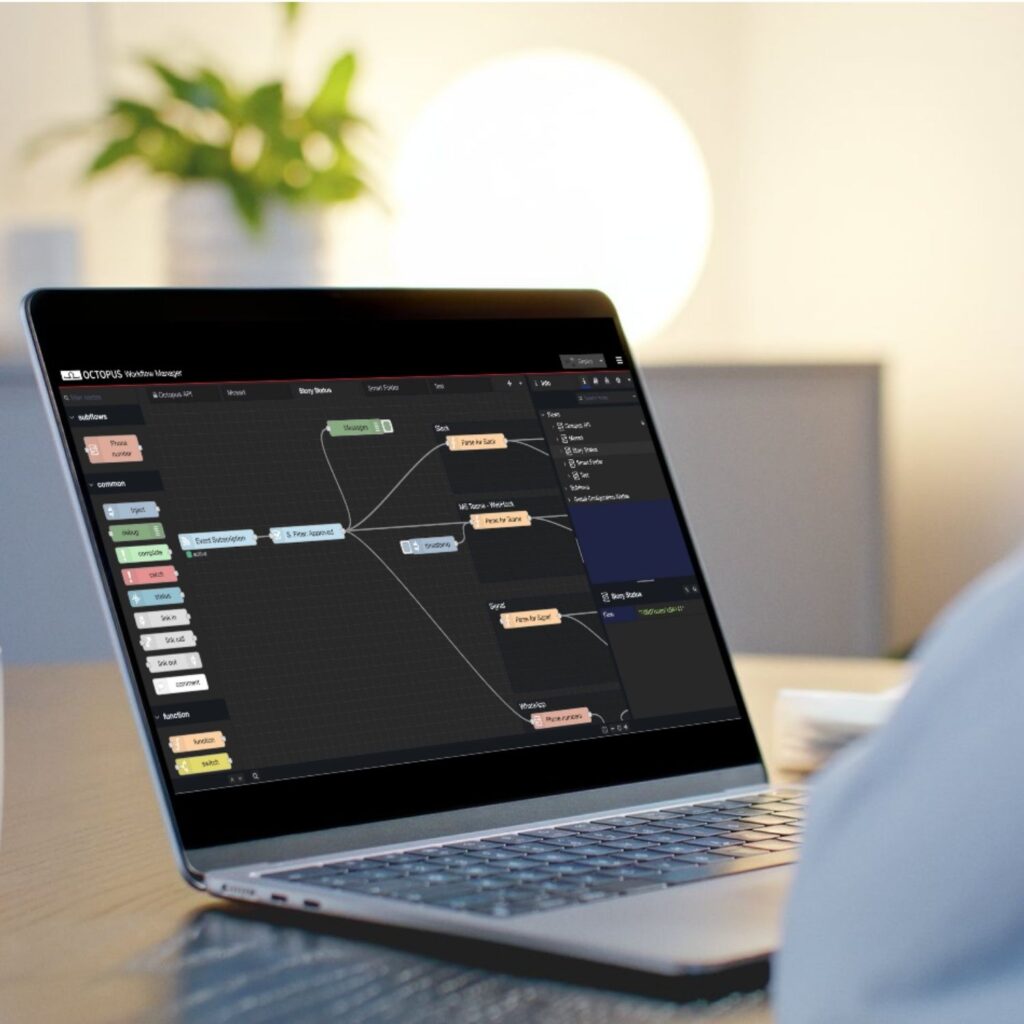
No-Code Workflow Designer: Build Editorial Workflows Without Programming
The No-Code Workflow Designer allows broadcasters to design and modify newsroom workflows through a visual interface instead of writing code.
Editors and newsroom administrators can create workflows that reflect the way their organization operates, without depending on software developers.
For example, a newsroom can:
- add approval steps for sensitive stories
- automatically notify editors when scripts are complete
- create dedicated workflows for sports, weather, or elections
- automate repetitive editorial tasks
- adapt processes as newsroom priorities evolve
Because workflows are configured visually, changes can be made quickly whenever editorial needs change. Instead of forcing journalists to adapt to rigid software, the software adapts to the newsroom.

What is Studio Automation?
Once a story has been approved, a different workflow begins. Studio automation focuses on everything required to produce a live television programme consistently and reliably. This includes:
- graphics
- camera cues
- production layouts
- automation commands
- show templates
- rundown structure
Unlike editorial workflows, studio automation is concerned with how stories behave on air, not how they are approved. A single missing graphic, unsupported layout, or incorrect automation command can create unnecessary pressure during a live broadcast. That’s why production workflows benefit from the same level of structure as editorial workflows.
Show Flow Designer: Standardising TV Production
Show Flow Designer extends the same no-code philosophy into studio production. Instead of manually preparing every story for automation, production teams create reusable templates that define how different story types should behave during a program. These templates can include:
- required graphics
- automation commands
- supported layouts
- production logic
- mandatory story elements
Journalists continue working inside their familiar newsroom environment while the production rules are applied automatically. This standardizes television production without making the editorial process more complicated.
Reducing Human Error in Live Broadcasting
One of the biggest benefits of production templates is consistency. Rather than relying on manual checks before every broadcast, Show Flow Designer ensures that stories follow predefined production rules. As a result:
- required production elements are always included
- unsupported graphics cannot be inserted accidentally
- automation remains consistent across programmes
- producers spend less time fixing avoidable issues
- journalists can focus on creating content
The system acts as a safety net, helping broadcasters maintain reliable live production even under tight deadlines.
Editorial Workflow vs. Studio Automation: What’s the Difference?
Although these concepts are often discussed together, they solve different problems. Editorial workflows manage how stories move through the newsroom. They answer questions such as:
- Who edits the story?
- Who approves it?
- When is it published?
- Which teams need to be informed?
Studio automation manages how approved stories are produced on air. It answers different questions:
- Which graphics should appear?
- Which camera is triggered?
- Which automation commands are required?
- How should this story fit into the programme?
One improves newsroom operations. The other improves broadcast execution. Modern broadcasters need both.
Why Story-Centric Workflows Matter
Octopus is built around a story-centric philosophy. Instead of treating scripts, rundowns, publishing, and production as isolated processes, everything revolves around a single story. As that story evolves, every connected workflow evolves with it. Editorial teams collaborate more efficiently. Production teams receive consistent, automation-ready content. Journalists spend less time managing technical processes and more time reporting the news. This approach creates a connected newsroom where editorial and production workflows operate as one continuous process rather than separate systems.
Building a Flexible Newsroom
Every broadcaster has unique editorial processes, production standards, and operational requirements. The best newsroom software doesn’t force organizations into predefined workflows—it provides the flexibility to build workflows that match the way each newsroom operates. By combining visual editorial workflow design with automation-ready production templates, Octopus Newsroom helps broadcasters modernize every stage of news production without increasing complexity.
Whether your team is redesigning editorial approvals or standardizing studio automation, the goal is the same: create a newsroom workflow that is faster, more reliable, and easier to adapt.
Because when editorial workflows and studio automation work together, the entire newsroom stays in motion.