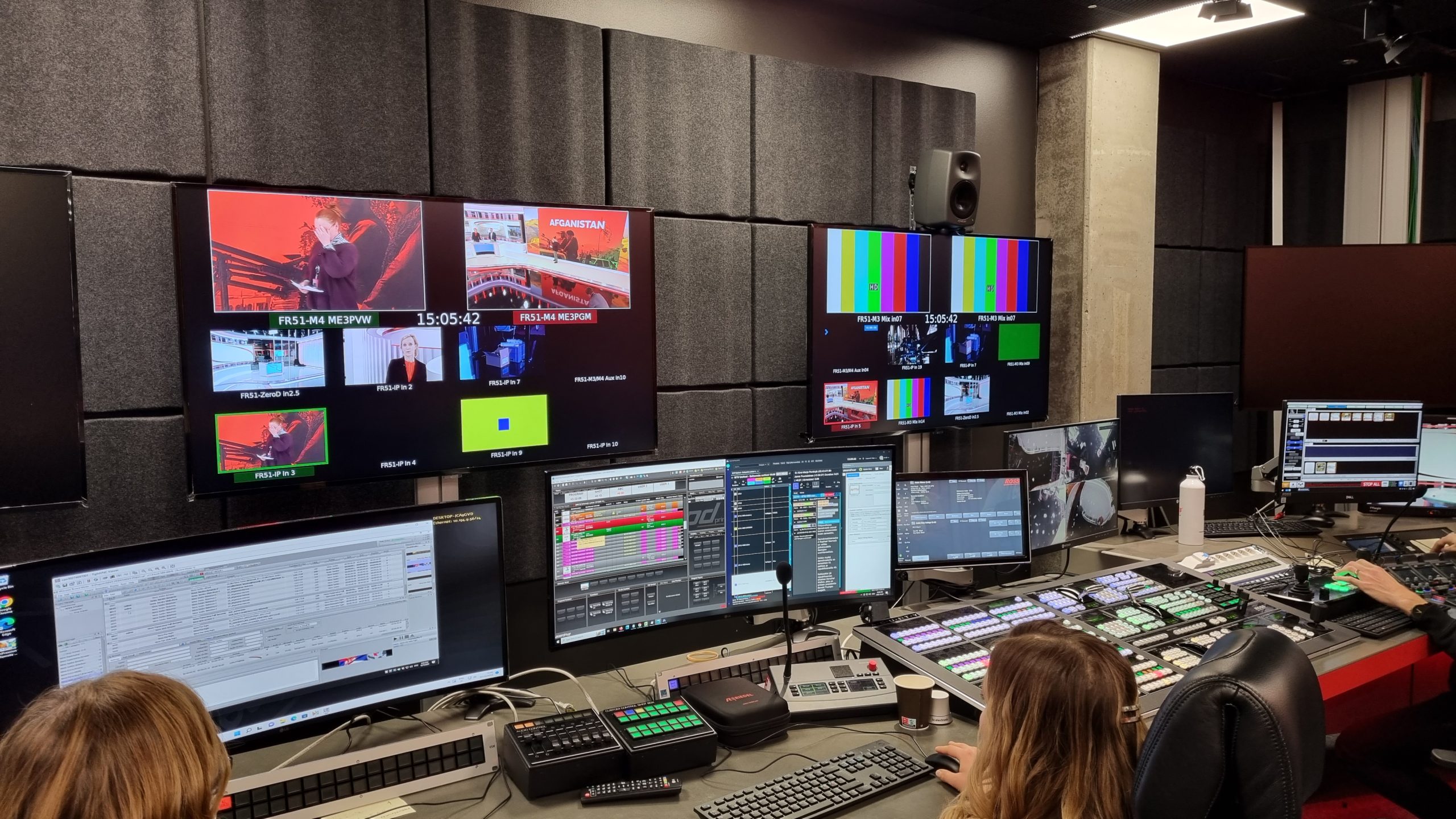
Octopus is a news production system (NRCS) that customers deploy on-premises, in the cloud, or in a hybrid setup, and use for news, radio, WebTV, sports, and esports production. It covers the entire production process, from newsgathering through organizing, editing, packaging, and multiplatform delivery, for newsrooms of any size. It supports story-centric or rundown-centric workflows, or a hybrid of both, and includes remote production through a browser and a mobile app, no-code workflow tools, AI-assisted writing and research, and integrations with more than 100 third-party devices and systems.
What is Octopus’s news production system used for?
Octopus’s flexible architecture supports many production use cases. Customers worldwide use it for news, radio, WebTV, sports, and esports production, on the same underlying system. It covers everything from newsgathering to organizing, editing, packaging, and delivering content, whether that content is a news bulletin, an entertainment show, or a sporting event.
Does Octopus run on-premises or in the cloud?
Octopus deploys on-premises, in the cloud, or in a hybrid combination of both, so production can happen from anywhere regardless of where the system itself is hosted. For a closer look at the trade-offs between the two deployment models, see our interview with COO Gabriel Janko on cloud or on-premise news production: Cloud or On-Premise News Production: An Interview With Gabriel Janko, COO at Octopus Newsroom
Octopus streamlines the entire production workflow whether it is story-centric or rundown-centric, or a hybrid of both.
How can newsrooms produce news remotely with Octopus?
Octopus supports two forms of remote production: the Octopus Web Client for browser-based access to the core system, and the Octopus Journalist App for mobile field reporting.
The Octopus Web Client gives broadcasters browser-based access to the most essential Octopus 12 functionality, so teams are not limited to on-premises workstations. It connects to the same backend as the desktop client, which supports real-time collaboration between team members regardless of location.
The Octopus Journalist App gives journalists remote access to the same wires, rundowns, and planning items they would otherwise access on-premises. Using the app, journalists can edit existing rundown scripts and create new stories from their mobile phones, or use the app as a mobile prompter when covering news in the field.
What size of newsroom can use Octopus?
Octopus is suitable for all newsroom types and sizes. That ranges from a single channel producing a few bulletins a day, up to a full-scale 24/7 news channel with multiple locations connected to each other. Octopus news production software runs natively on all platforms and supports all languages.
How do journalists gather incoming news sources in Octopus?
Journalists retrieve incoming sources from RSS feeds, news agencies, and social media accounts, all centralized inside Octopus. They can also monitor trends and important topics using alerts sent to the interface or by email.
How does Octopus support collaboration between journalists, editors, and producers?
Octopus supports collaboration in two ways: editorial collaboration between people, and technical integration between systems.
On the editorial side, journalists, editors, and producers work together inside Octopus to deliver content. The system supports real-time, calendar-based editorial collaboration, from the initial task notification through to full rundown management.
On the technology side, Octopus integrates with more than 100 third-party devices and systems, including teleprompters, MAM and playout systems, graphic systems, and automation technology.
How does Octopus help keep show automation consistent during tight turnarounds?
Show Flow Designer lets producers define a story template in advance, covering the structure and required elements each story must include, and journalists then build their stories inside that template. Instead of a producer adding automation cues to each story manually, Show Flow Designer applies the predefined template automatically. It is designed to reduce missing graphics, incorrect camera calls, and format errors, including during tight turnarounds.
Can newsrooms build their own workflows in Octopus without developers?
Yes. The No-Code Workflow Designer lets teams create, modify, and automate newsroom workflows through a drag-and-drop interface, without relying on developers or custom integrations. Teams can build workflows for content approvals, publishing paths, notifications, task assignment, and other automated actions, and adjust them as editorial processes change.
How does Octopus use AI in news production?
Octopus incorporates AI into production workflows to automate repetitive tasks, such as generating metadata and summaries, and to assist with content preparation and publishing. It also offers speech-to-text and object and subject identification for audio and video. News teams can connect the model they need, whether a cloud engine or an on-premises model running inside their own infrastructure.
Management of these connections is centralized: API keys, usage limits, and monitoring are handled in one place. Newsrooms connect their own provider accounts, so costs and data stay under the newsroom’s own control. Octopus also supports running AI models entirely on-premises or within a private cloud, so data is processed, stored, and protected inside the newsroom’s own infrastructure rather than sent to a third party.
Octopus’s AI features draw on what is already in the newsroom’s rundown, wires, and active assignments, so summaries reflect the story the newsroom is actually covering and stay in the newsroom’s own voice, rather than producing generic output.
A key part of these AI integrations is predefined prompts. Journalists do not need to write or engineer prompts themselves. One click produces a draft, a summary, or a fact check, in the newsroom’s own style.
Where can Octopus deliver content?
As news consumption patterns change, Octopus distributes content to both linear and digital platforms. Content can be delivered to social media platforms and to CMS systems.
Frequently asked questions
Does Octopus support both story-centric and rundown-centric workflows? Yes. Octopus streamlines the production workflow whether a newsroom works story-centric or rundown-centric, or uses a hybrid of both.
Can journalists access Octopus from a browser instead of installing the desktop client? Yes. The Octopus Web Client gives browser-based access to the most essential Octopus 12 functionality and connects to the same backend as the desktop client, so teams can collaborate in real time regardless of location.
Can journalists edit rundowns and scripts remotely from the field? Yes. The Octopus Journalist App lets journalists access wires, rundowns, and planning items remotely, edit existing scripts, create new stories, and use the app as a mobile prompter in the field.
Can newsrooms customize their own workflows without developer help? Yes. The No-Code Workflow Designer lets teams build and adjust workflows, such as approvals, publishing paths, and notifications, through a drag-and-drop interface, without relying on developers or custom integrations.
Which AI models can we use with Octopus? Octopus connects to cloud engines including ChatGPT, Claude, Gemini, and Perplexity, and to on-premises models including Gemma, Llama, DeepSeek, and Kimi. Newsrooms connect their own provider accounts, so data and costs stay under their control.
How many newsrooms use Octopus?
More than 400 newsrooms worldwide use Octopus.
Curious to learn more? Get in touch.